SaaS Onboarding Psychology: How the First 7 Days Decide User Retention
Most SaaS teams don’t just spend months building their product; they also pour significant budgets into paid ads, blog posts, email campaigns, and social pushes to attract users. At first, the results look promising. Signups roll in, dashboards light up, and the team feels like all the hard work is paying off.
But then reality sets in. Within the first seven days, login engagement drops sharply. By the end of the first month, more than 80% of those who remain are still not paying customers. What looked like traction quickly turns into a leaky bucket problem.
Sound familiar? If you’re in SaaS, it probably does. Reports from the Wyzowl study show that 80% of users have uninstalled an app due to their lack of understanding of how to use it or simply because they were unsatisfied with it. That means the first few interactions, the first impressions, really, determine whether your app becomes part of a user’s workflow or just another forgotten signup.
In this guide, we’ll break down exactly why the first seven days after signup can make or break your SaaS growth, and what separates products that retain users from those that quietly lose them.
You’ll discover:
- What SaaS onboarding really means (and why most teams get it wrong)
- The psychology behind why users stay, or churn, during the first week
- A realistic day-by-day breakdown of what happens in the first 7 days
- The hidden mistakes that kill engagement before users even realize the product’s value
- High-impact features that keep users logging back in
- A simple retention framework to help you turn first-time users into loyal customers
By the end, you’ll understand how to design onboarding that delivers real “aha” moments and builds retention into your product from day one.
What Exactly Is SaaS Onboarding?
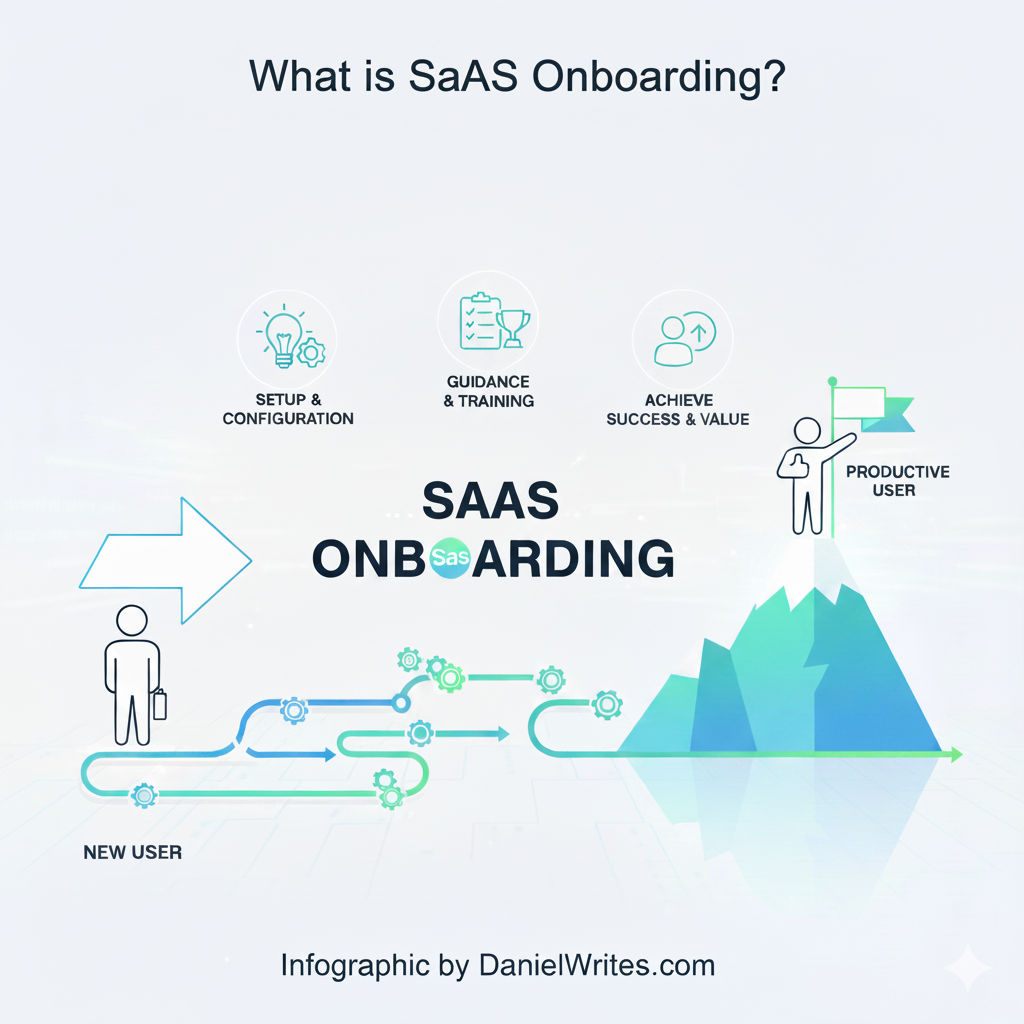
At its core, onboarding is the process of guiding users from signup to their first success with your product. That “aha moment” where the user feel, “yeah this what I wanted.”
But here’s the tricky part: the onboarding paradox.
- Users sign up for powerful software because they want robust features.
- At the same time, they demand a smooth and easy firsthand experience that doesn’t overwhelm them.
The Psychology Behind User Retention
Understanding user retention is not strictly tied to just your UX design, but also to its synchronism with your users’ psychology.
The Free Trial Effect
When users get access to most of the core features during their first seven days, they feel like they’ve unlocked exactly what they came for. The product delivers value fast. Then, as the trial ends or shifts to a more limited free plan, users notice the contrast; they can still use the product, but not at the same level they enjoyed during those first days.
That taste of a richer experience creates craving. Psychologists call this a form of contrast effect mixed with loss aversion. Users are motivated to purchase because they don’t want to lose what they’ve already experienced.
Beyond free trial design, other psychological levers play a big role in SaaS onboarding:
- Cognitive Load: Too much information and steps overwhelm users. The brain craves simplicity, even if it must contain multiple steps or items.
- Endowed Progress Effect: Showing progress bars or steps makes people feel closer to getting to their goals, thus motivating them to complete that session. (Why do you think Duolingo is so addictive?)
- Reciprocity: Give users early wins (like unlocking a useful feature immediately) and they’re more likely to reciprocate with continued engagement.
- Loss Aversion: Even outside of free trials, reminding users what they’ll miss out on if they don’t stick around is a powerful motivator.
- Social Proof: Highlighting testimonials, user counts, or community activity reassures users that they’re not alone in trusting your platform.
Together, these psychological triggers shape whether someone logs back in tomorrow or never again. This pattern has consistently shown measurable engagement and an increase in purchases.
This is not just a hopeful assumption, but is based on real customer experiences and what works. A research report from Wyzowl shows that 80% of users uninstall an app simply because they didn’t know how to use it. That means the smallest onboarding misstep can undo all your acquisition efforts.
The Stakes: Churn, Retention, and the High Cost of Poor Onboarding
According to Harvard Business Review, boosting customer retention by just 5% can increase profits by 25% to 95%. That’s why the first seven days are not a “trial period” in the traditional sense; they’re your make-or-break window.
The real metric that drives growth is retention.
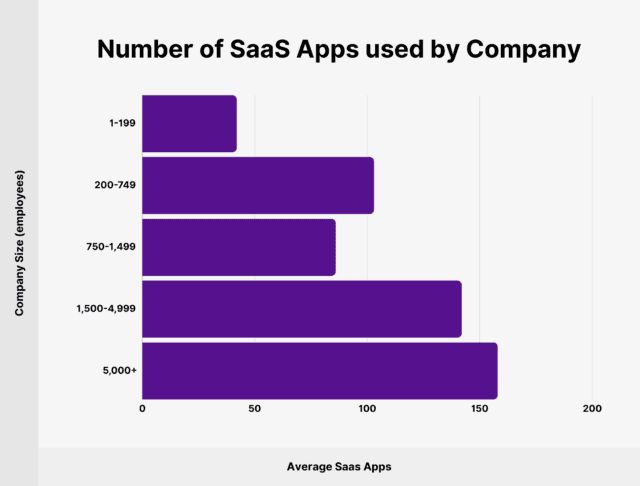
Most Saas customers are B2B clients, which poses a strong potential here.
A Typical Scenario: What the First 7 Days Look Like
Let me walk you through what actually happens during those make-or-break first seven days, based on real user sessions and countless conversations with both successful converters and frustrated churners.
Day 1: The First Impression
Most users decide within minutes if an app feels worth their time. One Reddit user summed it up perfectly: “If I can’t figure out what to do in the first 5 minutes, I uninstall. I don’t care how good the app might be later.”
Bad features that kill retention
- Overwhelming dashboards with too many buttons.
- A long signup form before you even get to test the product.
- Lack of clear direction: users shouldn’t be left guessing what to do first.
Good features that boost retention
- One-click sign-up (think Google or Apple login).
- An easy guided walkthrough that highlights the core feature in less than 60 seconds.
- A “wow” moment, showing immediate value on first use.
Stats back this up: 75% of users abandon a product if they can’t grasp it within a week.
Days 2–4: Testing the Waters
If users stick past Day 1, they start exploring deeper features. This is where many SaaS apps lose them.
Bad features
- Bombarding users with upgrade prompts too early.
- Hidden features that require too much digging.
- Slow customer support when users hit roadblocks.
Good features
- Progressive onboarding, revealing advanced features only when users are ready.
- Helpful tooltips or micro-videos (69% of users prefer video-based onboarding, according to Wyzowl).
- Community or peer stories: showing how others are succeeding with the product.
A friend of mine who tried a project management tool told me: “I liked it at first, but the constant upgrade nags turned me off. I wasn’t ready to pay before even seeing what I could do for free.”. This can feel pushy, especially as users haven’t experienced the full features yet.
Days 5–7: Make or Break
By this stage, users either integrate the app into their workflow or quietly churn.
Bad features
- Features are gated behind confusing pricing walls.
- Lack of follow-up communication, silence kills interest.
- Poor personalization, users feel like “just another account.”
Good features
- Smart reminders and emails nudging users toward completing their setup.
- Personalized dashboards that adapt based on behavior.
- Quick wins (e.g., templates, auto-generated reports, or shortcuts that save time).
As Zendesk reports, 87% of customers agree companies should put more effort into delivering consistent experiences. Apps that build consistency in the first 7 days often earn loyalty for years.
High-Impact Features That Keep SaaS Users Around
Not all features are created equal. Some directly boost retention by removing friction and delivering value fast.
- Free trial or freemium plan – Let users test without risk. According to UserGuiding, 97% of companies say trials give onboarding room to shine, which measurably results in higher retention.
- Loginless or instant-use mode – Reduce signup barriers. Think of apps that let you try before creating an account.
- Fewer steps to the main action – The faster users reach value, the higher the retention. Each extra click is a drop-off risk.
- Multi-feature flexibility – Apps that solve more than one adjacent problem (e.g., scheduling + invoicing) often become indispensable.
- Video onboarding – 74% of people rely on video tutorials for learning a new app (Wyzowl).
- Personalization – Tailoring experience boosts engagement. Salesforce found that 1 in 2 customers will switch brands if their needs aren’t anticipated.
- Data-driven optimization – Running experiments through tools like Optimizely’s A/B testing ensures you refine onboarding continuously.
Conclusion: Key Lessons & Takeaways
Retention isn’t just a SaaS metric, but a survival metric. With over 30,000 SaaS companies in the United States alone and spending projected at $300 billion in 2025, competition is furiously brutal. But the upside here is huge; you can’t just give it up. The solution involves speedy execution, analyzing results, and fine-tuning (optimization) till something measurably works for you. According to Harvard Business Review, increasing customer retention by just 5% can boost profits by up to 95%.
Quick Important Tips
- Retention fuels growth. According to Harvard Business Review, increasing retention by just 5% can lift profits by up to 95% .
- Bad onboarding is expensive. 80% of customers switch brands after poor experiences, and 89% turn to competitors after a single bad interaction (Oracle).
- Clarity beats complexity. Don’t overwhelm users with too many features upfront. Focus on one strong “aha” moment early.
- Consistency matters. Great UX, responsive support, and thoughtful reminders keep users engaged past the trial.
A Practical Retention Framework (Your Final Checklist)
- ➜ Keep onboarding simple (fewer steps, faster access).
- ➜ Deliver the first “aha” moment within 1–2 days.
- ➜ Use video and interactive tutorials to guide users.
- ➜ Build in progress indicators (checklists, bars, milestones).
- ➜ Introduce features gradually, not all at once.
- ➜ Personalize nudges and reminders.
- ➜ Use A/B testing to refine onboarding flows.
- ➜ You can build a community that will increase users’ engagement. You can start with resourceful guide-based blogs, video tutorials, and FAQs, and gradually grow your community.
At the end of the day, retention is about clarity, consistency, and connection. SaaS apps that nail those three unlock not just users, but loyal customers who stay and pay.